Your dev machine, in your pocket.
Tether is a free app that lets you use the computer you code on from your phone: its terminal, project files, git, running dev servers and APIs. Start something at your desk and keep working on it from anywhere.
brew install gulshanAI/tap/tether
Runs on macOS, Linux and Windows. On your phone it opens in the browser and installs like an app.
Animation: a command typed on a phone runs in a laptop's terminal and the output appears on the phone; the phone then previews the laptop's dev server, and finally chats with Claude Code running on the laptop.
Your computer does the work. Your phone is the remote.
Developers keep their projects, tools and running programs on one computer: a laptop, a desktop or a server. Tether is a small program you install there, plus an app you open on your phone. Together they let you use that computer from anywhere, as long as it's switched on.
There's nothing to set up on your network. Tether opens a secure HTTPS link to the machine and shows it as a QR code. Scan it, sign in, and your projects are on your phone.
Handy when
- a long build or test run is going and you'd rather not sit and watch it
- Claude Code is working on a task and needs an answer while you're away from the keyboard
- something breaks on a server and there's no laptop nearby
- you want to see the site you're building on a real phone screen
Five tools, the ones you'd open on your computer
Every project you add gets a bottom bar with five tabs. Open several projects at once and keep them as tabs along the bottom, still running.
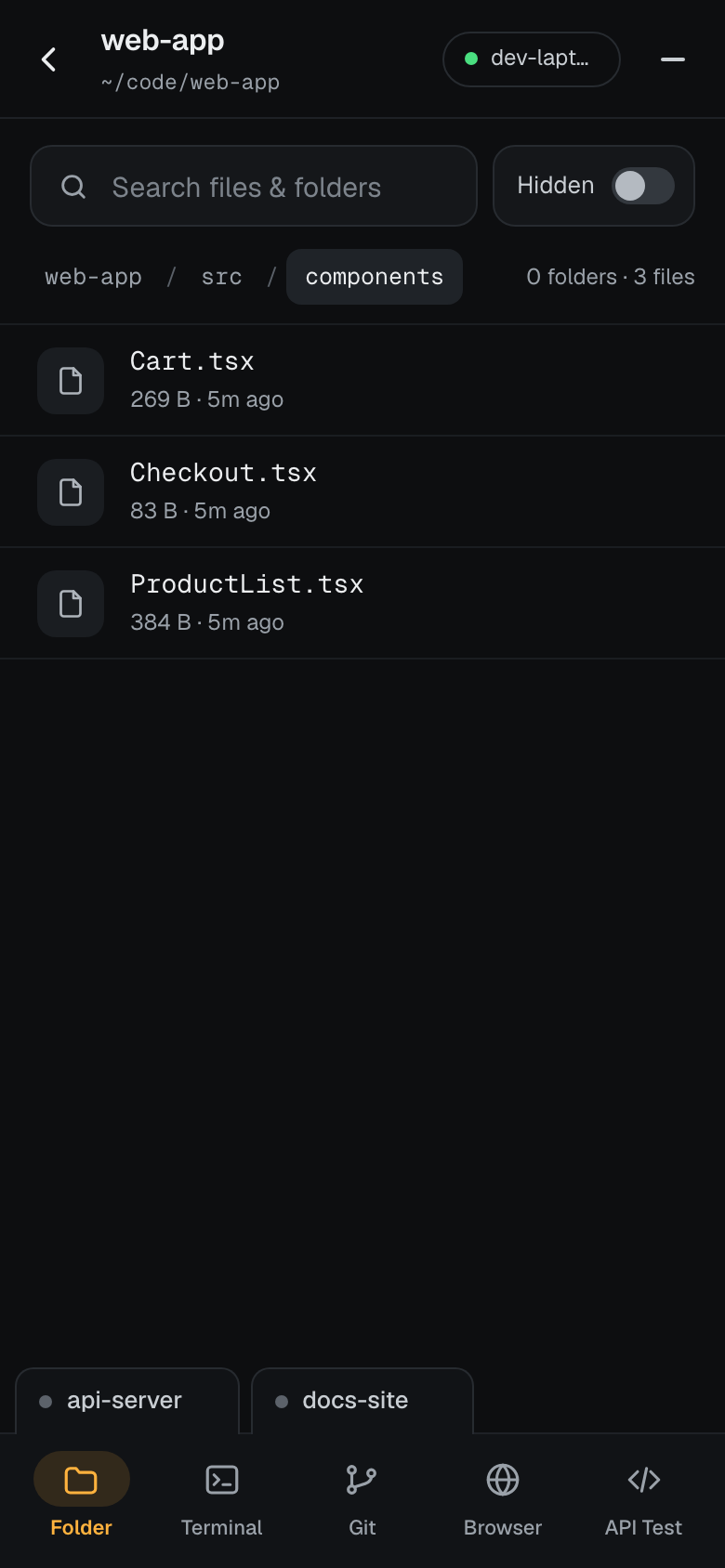
Folder: your project, live
See the project exactly as it is on the machine. The listing updates as files change, so you watch a build or a code generator do its work.
- Search the whole project by name
- Open files with syntax highlighting, and view images
- Show or hide dotfiles with one switch
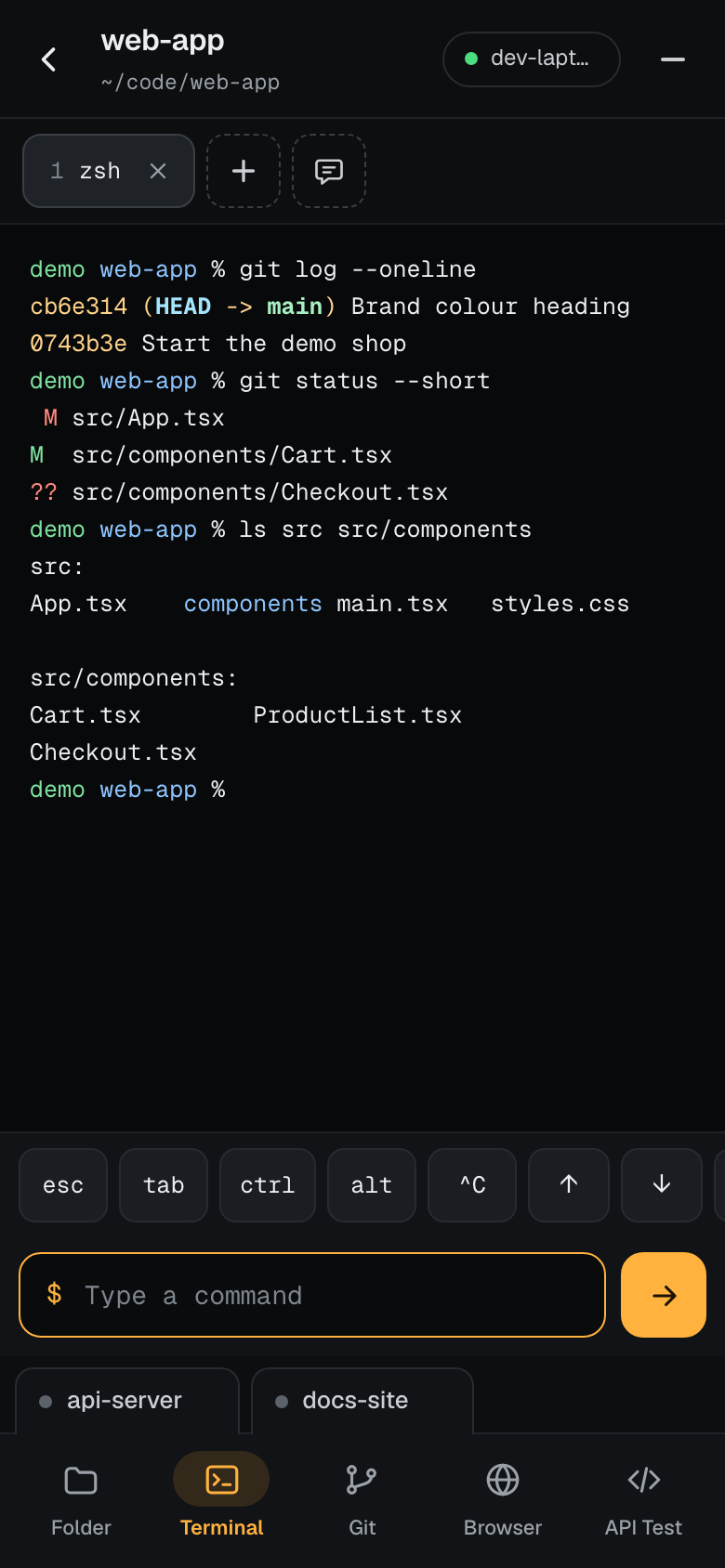
Terminal: real shells that keep running
Open as many terminals as you need. They run on the computer, so they keep going when your phone sleeps, and reconnecting replays the output you missed.
- An extra-keys bar for esc, tab, ctrl, alt and the arrows
- Run
claudeand the tab becomes a chat with Claude Code, its questions as buttons - Terminals come back after an upgrade, a crash or a reboot, and Claude picks up the same conversation
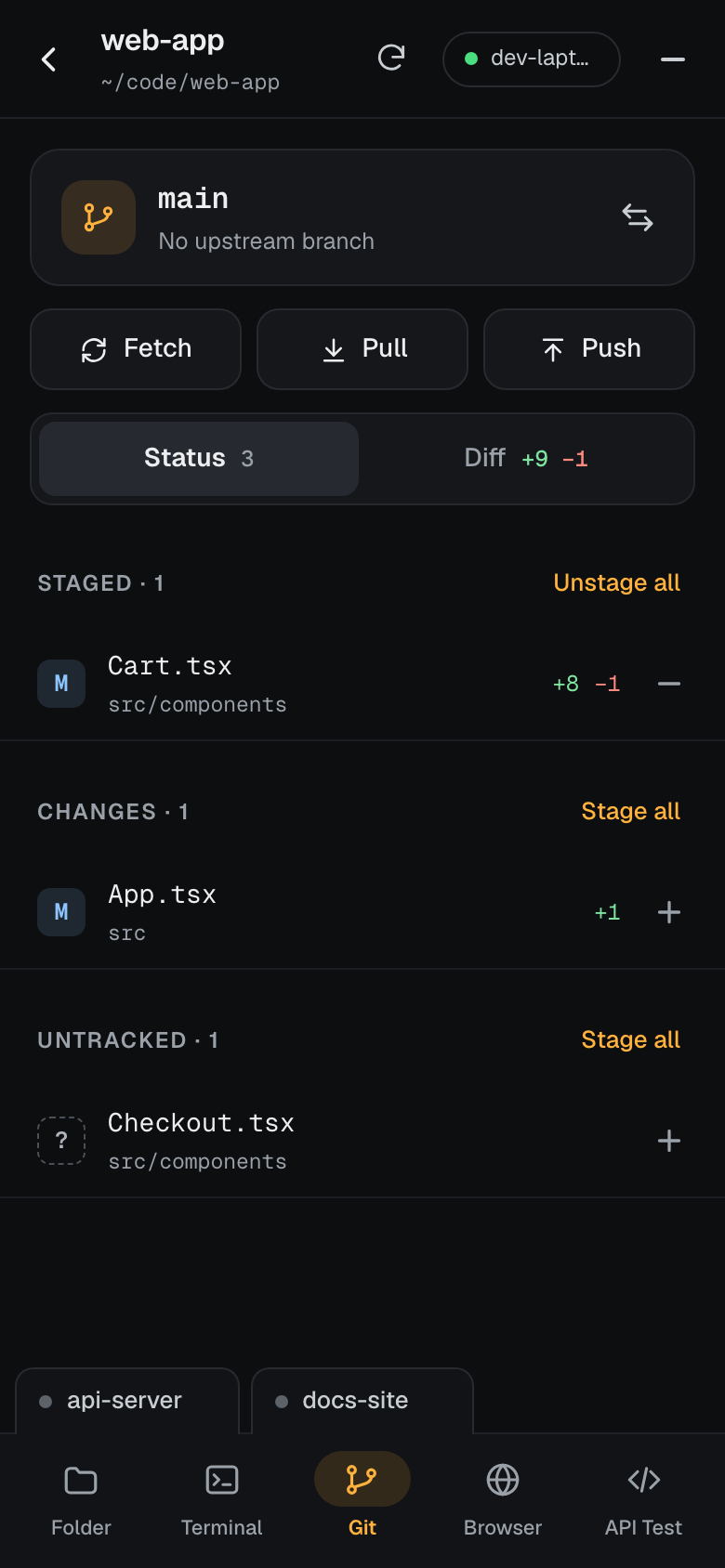
Git: see what changed, and ship it
Your branch, how far it is ahead or behind, and every staged, changed and untracked file, with full diffs.
- Stage, commit (or amend) and push, without typing a git command
- Discard a bad change or stash it, after a confirmation
- New branches, a teammate's branch from the remote, and pulls that ask before rebasing or merging
- History with each commit's diff, and Revert to undo one
Browser: open what's running on the machine
Tether finds the ports your computer is listening on. Tap one to open that dev server, localhost:5173 and friends, through a
built-in proxy.
- Check a change on a real phone screen, not a resized desktop window
- Back, forward, reload, and open in a new tab
- Nothing to deploy: it's the server already running at your desk
API Test: call your APIs from inside the machine
Collections and folders like Postman, with environments and {{variables}}. Requests are sent from your computer, so APIs that
only answer on localhost work too.
- Import your Postman collections
- Params, headers, body and auth for every request
- Status, time, size and a formatted response
Why it's worth installing
-
Your machine keeps working when you leave
Start a long build, a test run or a deploy, walk away, and check on it from your phone.
-
Nothing is lost when your phone sleeps
Shells run on the computer. When your phone reconnects you see everything that happened while it was locked.
-
Your code stays on your computer
Files, terminals and git go straight between your phone and your machine. Self-hosted, nothing is stored anywhere else.
-
No networking to set up
Tether opens an encrypted link for you through Cloudflare. No port forwarding, no domain, no VPN.
-
Claude Code goes where you go
Leave Claude working at your desk and answer its questions with a tap, wherever you are.
-
Free for everyone
Personal or commercial use, on as many of your machines as you like.
Set it up in a couple of minutes
-
Install Tether on your computer
brew install gulshanAI/tap/tetherchoco install tetherUses Homebrew, which also works on Linux.
In an administrator PowerShell, with Chocolatey. Windows 10 (1809 or later) or Windows 11.
-
Start it
tether startPress Enter to self-host, or pick Tether host for an address that never changes. It keeps running in the background and starts again when you log in.
-
Scan the QR code with your phone
The app opens, already pointed at your computer.
-
Sign in and add a project
The first time, create your account with the setup code from the terminal. Then add a project: a name and a folder on the machine. Tap Install app to keep Tether on your home screen.
demo ~ % tether start

  1) Self-host
  2) Tether host
  Choose 1 or 2 [1]: 1

  Tether is running on dev-laptop

  Link      https://quiet-river.trycloudflare.com
  Open app  https://tether.ahabyte.com/?host=…
  First run: create your account in the app
  with setup code  ABCD-EFGH
Two ways to connect your computer
The first tether start asks which one you want. Self-host is the default, and you can move to Tether host later with
tether start --hosted.
| Self-host | Tether host | |
|---|---|---|
| Address | A random link that changes when Tether restarts. tether url shows the current one. |
A fixed address that never changes, like your-laptop.ahabyte.com. |
| Sign-in | An account that lives on the machine, made with a one-time setup code. | One Tether account for all your machines, on every device. |
| Stored elsewhere | Nothing. Everything stays on the machine. | Your Tether account and your list of machines. Files, terminals and git still go straight to the machine. |
| Good for | Trying Tether out, and keeping everything on one computer. | Everyday use across several computers. |
Questions
What is Tether?
Tether is a small program you install on the computer you code on, and an app you open on your phone. Together they let you use that computer's terminal, project files, git, running dev servers and APIs from your phone, wherever you are.
Is Tether free?
Yes. Tether is free for everyone, for personal and commercial use. The licence has the details.
What do I need?
A computer running macOS, Linux, or Windows 10 (version 1809 or later) or Windows 11, and a phone or tablet with a modern browser. On the computer you install Tether with Homebrew or Chocolatey; on the phone you open the app in the browser and can install it to your home screen.
Does my code leave my computer?
Your files, terminals and git go directly between your phone and your computer through an encrypted link. Self-hosted, nothing is stored anywhere else. With Tether host, only your Tether account and your list of machines are kept centrally.
Does it work on iPhone and Android?
Yes. Tether runs in Safari, Chrome and other modern browsers, and installs like an app: Android and Chrome show an Install button, and on iPhone you add it to your home screen from the Share menu.
What happens when my phone locks or loses signal?
Nothing stops. Terminals run on your computer, not on the phone. When the phone reconnects, Tether replays the output you missed. Your computer does need to be on and awake for you to reach it.
Can I use Claude Code with Tether?
Yes. Run claude in a Tether terminal and the tab turns into a chat: Claude's replies, the files it edits and the commands it runs,
with its questions as buttons you can tap. If Tether restarts, the terminal comes back and Claude resumes the same conversation.
Is it safe?
Tether gives whoever signs in a shell on your computer, so it is built like SSH: every request needs a signed-in session, passwords are hashed, sign-in attempts are rate-limited, and the machine only listens locally and is reached through an encrypted HTTPS tunnel. Use a strong password and keep setup and pairing codes to yourself.
Take your machine with you.
Install Tether on your computer, scan the code, and your projects are on your phone.
brew install gulshanAI/tap/tether